


Tachiyomi : Manga & Comics
0.00.00 Reviews
App Specs
- Version
- 1.0.0
- Updated On
- License
- Free
- Downloads
- 10,000+
- Developer
- GoldenDev Studio
- Categories
- Comics
- Platform
- Android
Screenshots
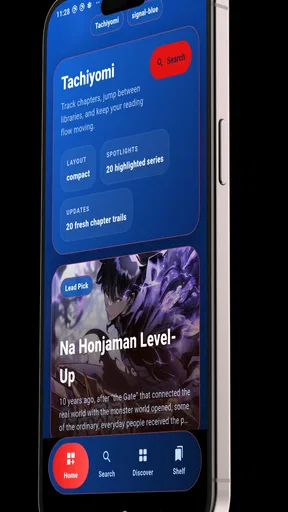
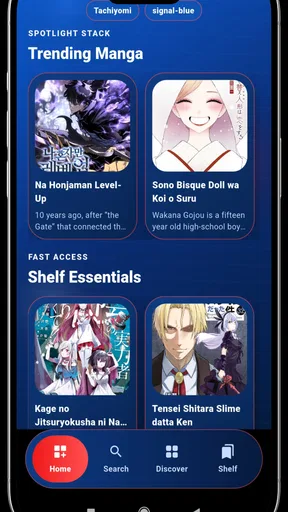
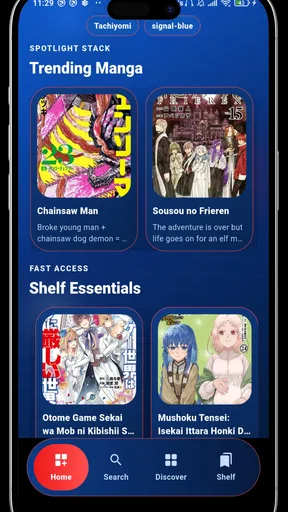
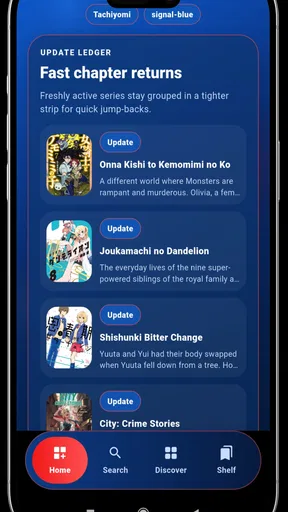
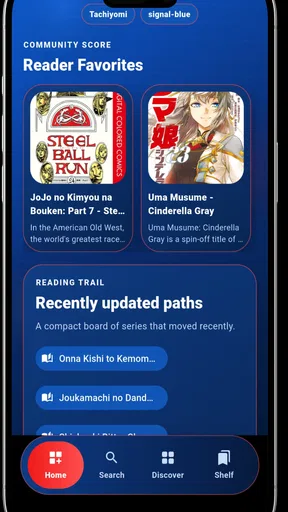
 Analysis by AppCompare
I would treat Tachiyomi: Manga & Comics as a promising, low-commitment reader rather than a complete comics ecosystem. Its appeal is the range of formats it brings together, but the day-to-day value comes down to a more practical question: can you find the stories you want and read them comfortably? I’d try it with a familiar title before relying on it as my only reading app.
First, check that its reading approach fits
That first test is useful because “one place for comics” can mean different things. Some readers want a polished service that recommends series and makes licensed releases easy to follow. Others mainly want a comfortable way to read material they already know how to access. Before settling in, I’d check what the app lets me browse, how I reach a title, and whether returning to a series feels straightforward. Those checks help reveal whether its simple-reader approach fits my habits.
I’d also decide what a successful trial looks like before spending time setting up a routine. For example, I might open one page-based chapter and one vertical episode, then close and reopen each to see whether I can pick up where I expect. That is a more useful test than judging the interface from a quick glance: it checks the small transitions that determine whether a reading app feels effortless in daily use.
Tachiyomi: Manga & Comics is most appealing when you want one straightforward place to read different kinds of illustrated stories, rather than a polished storefront that revolves around a single publisher. I like that broad-reader idea, but I would approach this app as a simple reading option, not assume it includes every title or convenience feature found in more established services. Its value depends on whether the way it handles your reading sources suits you.
A reader built around choice
GoldenDev Studio presents this free Android comics app for manga, comics, manhwa, and webtoons. That range gives it a useful role for readers whose shelves cross formats: one day a traditional manga volume, the next a vertically scrolling webtoon. The app’s pitch is ease and speed, and that is a sensible priority for a reader. When I open a comic, I want to spend my attention on the page, not on wrestling with the interface.
The name may sound familiar to manga readers, but I would not treat that alone as proof that this version has all the capabilities associated with other apps that use the same name. The available identity is specific: Tachiyomi, version 1.0.0, developed by GoldenDev Studio. That makes it particularly important to judge it as the app actually offered, rather than assume features such as extensions, synchronisation, downloads, library management, or a particular catalogue.
That distinction is useful before you install anything. A reading app and a comics service are not automatically the same thing. Some alternatives focus on official publisher catalogues and a consistent way to find and follow series; others focus on reading files or sources the user already has. This app’s broad reading focus may suit someone who wants a light, uncomplicated entry point, but readers should first consider where they expect their comics to come from and how much organisation they need.
Worth Reading Before You Choose

Baby Panda World Brings Quick Play to Modern Phones, but Its Game Library Feels Busy

ESPN’s Live Game View Makes Following Close Games Easier

QuizzLand Review: A Good Fit for Short Trivia Breaks, Not Every Player

Basketball Stars: Multiplayer Is Fast, but Can It Recover When Matches Go Wrong?

WEBTOON Turns Phone Updates Into a Better Reading Routine

Link to Windows Runs on Shared Habits, Not Social Feeds
What the format mix gets right
Putting manga, manhwa, comics, and webtoons under one roof is more meaningful than it might sound. These formats do not always ask for the same reading habits. A page-based comic is often best taken in spreads or panels, while a webtoon is designed to move down the screen. A reader that attracts people across those formats has the potential to reduce the friction of switching between separate apps.
For everyday use, that can make the app a reasonable choice for someone who reads in short bursts. On a commute or during a break, opening a reading app and picking up a story is more convenient than remembering which of several apps contains it. I would still pay attention to how each title is presented on your device: the reading experience depends not just on the app’s general promise, but on whether the material you want is accessible and comfortable in its format.
A small trial can answer practical questions
A practical tip is to test with the kind of comic you read most, rather than judging the app after browsing a few unrelated titles. If you primarily read long vertical episodes, check whether scrolling feels natural and whether the text remains comfortable at your usual screen brightness. If you read page-based manga, look for a layout that keeps panel order clear. That small trial tells you more than a general claim of speed or ease can.
I’d make the test more specific if I read in different settings. At home, I might care most about page clarity and how comfortable a longer session feels; outside, quick access and readable text may matter more. Try the app in the situation where you expect to use it, because a layout that looks fine in a brief check may feel different when you are reading on a smaller screen or picking up a story between other tasks.
Where the convenience has limits
The broad format range is also a reason to keep expectations measured. A reader can be excellent at displaying material yet still be a poor fit if its available selection does not match your tastes. Readers who expect a large, clearly curated catalogue, dependable official releases, or a familiar subscription library may be happier with a publisher-backed comics platform. Those services can be more predictable when the main goal is discovering and following specific licensed series.
Conversely, people who already manage their own comics may prefer a dedicated local-file reader, particularly if it gives them precise control over folders, backups, and reading progress. I would not assume those capabilities here without checking the app on the device. The practical limitation is that the short promise of an easy reader does not tell you how much control it provides once your collection grows.
Keep your first setup deliberately simple
One useful way to limit frustration is to avoid turning an initial trial into a major collection move. Start with a couple of current reads and see whether the app makes it easy to return to them. If you already use another reader, keep it available while you compare the routines side by side: finding a chapter, opening it, and resuming later. This makes the decision about actual reading feel rather than assumptions about what a familiar name might imply.
That approach also helps answer a question many readers have before switching: should this become the only place they keep their reading? I would say not until the everyday workflow has proved itself. If the app suits your preferred format and the way you locate stories, you can keep using it; if you find yourself repeatedly reaching for another tool, that is a good sign the alternative better matches your needs.
There is also a versioning consideration. The release is dated July 19, 2026, and the current version is 1.0.0. That is an early point in an app’s life, so I would be cautious about making it the sole home for a large reading library before trying it with a few titles. If an app becomes part of your routine, consistency matters: you want to know that the reading workflow you rely on remains comfortable after you have invested time in arranging your habits around it.
That does not make the app a bad choice; it just shapes the sensible way to try it. Start with one or two series you are actively reading, see how quickly you can return to them, and notice whether the display works for both your screen and your preferred format. If you find yourself needing elaborate cataloguing or a particular source, compare that need against what the app actually offers rather than assuming its name guarantees a feature set.
Who is likely to enjoy it
I can see this fitting a reader who wants to explore more than one comics format without beginning with a paid commitment. It is free, has an Everyone content rating, and supports Android 7.0 or later. Those details make it accessible to a wide range of Android users, though the age rating should not be mistaken for a guarantee that every story a reader encounters will suit every family’s preferences.
It has also reached over 10,000 installs, enough to suggest that it has found an audience while still leaving room for a personal trial to matter more than popularity. I would recommend it most to casual readers, people curious about manga and webtoons, and anyone who values a simple starting point over an elaborate library system. If you are choosing for a younger reader, I would still review the titles and reading sources together rather than rely on the general content label alone.
Think about the reader, not just the app
For a new manga reader, a straightforward app can make trying a different format feel less intimidating. Someone who has not decided whether they prefer panel-based chapters or long vertical episodes can use the same reading environment to explore both, provided the material they want is accessible. That flexibility is useful for curiosity, but it does not replace the guided recommendations or clear release structure that a dedicated comics service may offer.
It is a weaker fit for readers who need a specific catalogue, detailed collection controls, or a dependable way to move progress between devices. Those needs should shape the choice from the start, rather than become problems after a library has been built around one app. If a particular feature is essential, I’d choose a service that clearly offers it instead of hoping a general reading focus will cover it.
A realistic use case is a reader who alternates between a manga chapter at home and a webtoon episode during a lunch break. Instead of searching through separate reading apps, they can try one place for both styles and decide whether its basic workflow feels natural. The trade-off is that convenience only pays off if the desired titles are available in a way that works for them. If the app makes finding or resuming those stories awkward, the one-app advantage quickly disappears.
For a serious collector, I would treat it as a candidate to test rather than a settled library solution. Before moving a large collection or making it your only reader, confirm that your normal titles open properly and that the way you track progress meets your needs. If you depend on polished discovery, official catalogue consistency, or detailed collection controls, a service designed around those priorities is likely the better fit.
How I would decide
My recommendation is conditional but clear: try this app if you want a free, approachable place to read across manga, comics, manhwa, and webtoons, and you are comfortable evaluating its actual selection and workflow for yourself. Its central strength is the breadth of reading styles it aims to bring together, not a set of advanced capabilities I would assume without seeing them.
Skip it if you need a guaranteed publisher catalogue, a feature-rich collection manager, or a particular tool such as cloud synchronisation or offline access as a firm requirement. In those cases, choose an alternative whose stated functions match that need. For everyone else, a quick test with a familiar series is a low-commitment way to find out whether the simple-reader approach is enough.
Overall, Tachiyomi makes the most sense as a flexible first stop for readers who value format variety and a free download more than a carefully defined, feature-heavy ecosystem. I would start small, judge it by the comics I actually want to read, and keep another option in mind if the catalogue or controls fall short. That is a fair way to approach a version 1.0.0 app: interested, practical, and ready to switch if everyday reading asks for more.
Pros
- Free
- open-source app with no subscription required.
- Supports multiple catalogs through third-party extensions.
- Offers customizable reading modes
- including vertical scrolling.
- Lets you download chapters for offline reading.
- Includes library categories and tracking options to organize series.
Cons
- Not available on Google Play
- so installation requires extra steps.
- Extensions may stop working when their source sites change.
- Catalog availability and content quality vary by extension.
- Designed for Android; there is no official iOS version.
- Setup can feel confusing for new users unfamiliar with extensions.
FAQs for Tachiyomi : Manga & Comics
What is Tachiyomi, and what can I read with it?
Tachiyomi is an open-source manga reader for Android that lets you browse and read comics through community-provided catalog extensions. Available titles and languages depend on the extensions you choose, so the app itself does not guarantee access to any particular series or publisher. It is primarily designed for manga, though some catalogs may include other comics. Check an extension’s catalog and availability before relying on it for a specific title.
Is Tachiyomi available for iPhone or iPad?
Tachiyomi was developed for Android and does not have an official iOS version. Be cautious of websites or apps claiming to be the official Tachiyomi for iPhone or iPad, since they may be unrelated. If you use iOS, look for a reader that is actually available through a trusted distribution channel and check its catalog, privacy details, and compatibility before installing. Android installation methods can also vary, so use sources you trust.
How do manga sources and extensions work in Tachiyomi?
Tachiyomi uses extensions to connect its reader to online manga catalogs. You install and manage these separately from the core app, then browse a source, add series to your library, and open chapters in the reader. Sources can differ in language, selection, reliability, and availability, and may stop working when their websites change. Only install extensions from sources you trust, and review applicable laws and website terms before accessing or downloading content.
Can I download chapters and read manga offline?
Many Tachiyomi sources support downloading chapters for offline reading, but availability depends on the extension and the particular title. When downloads are offered, you can save chapters on your device and read them later without a connection, subject to available storage and the source’s behavior. Downloads are not the same as a publisher-authorized purchase or permanent entitlement, and files may become unavailable if you remove them, change app data, or lose access to the relevant source.
Is Tachiyomi safe, legal, and still supported?
Tachiyomi is an open-source Android project, but safety depends partly on where you obtain the app and which extensions you install. Prefer the project’s official information or a trusted source, and avoid repackaged installers. The legality of reading or downloading a title depends on your location, the rights holder, and the source’s authorization. The original Tachiyomi project was discontinued, so check current project status and compatibility before installing; unofficial continuations may have different maintainers and policies.


